
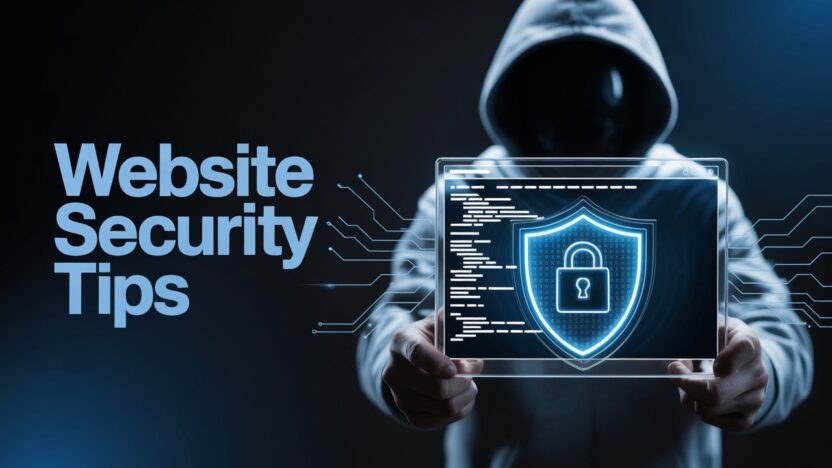
When you launch a website—whether it’s a blog, a business site, or a portfolio—you’re opening it up to the world. But unfortunately, not just to your visitors… also to people who shouldn’t be there: hackers.
Securing your website doesn’t mean becoming a cybersecurity expert overnight. You just need to follow some smart habits and basic steps. This guide is for beginners, startups, and small business owners who want to protect their site without getting overwhelmed.
Let’s break it down—simple and real.
1. Always Use HTTPS (Not Just HTTP)
If your website URL starts with http://, you’re already vulnerable. HTTPS encrypts the data that travels between your website and your visitor’s browser. Without it, hackers can intercept logins, form submissions, and sensitive information.
What You Should Do:
Install an SSL certificate (most web hosts like HostFlare provide this for free).
Use tools like Why No Padlock to check for insecure elements.
Bonus Tip: If you’re using WordPress or any CMS, make sure your entire site—including internal links—uses HTTPS. Redirect old HTTP URLs to HTTPS using
.htaccess.2. Keep Everything Updated (Plugins, Themes, Scripts)
This is where most beginners slip up. Hackers often don’t “hack”—they just scan the internet for outdated plugins or scripts and walk right in.
What You Should Do:
Update your CMS (like WordPress), themes, and plugins regularly.
Don’t use abandoned themes or plugins with no recent updates.
Delete anything you don’t use—unused plugins can still be entry points.
3. Use Strong Passwords (And Don’t Reuse Them)
“123456”, “password”, or “yourname2025” are not passwords. They’re invitations.
What You Should Do:
Use long, complex passwords with a mix of letters, numbers, and symbols.
Never reuse passwords across websites.
Use a password manager like Bitwarden or LastPass.
Pro Tip: For admin panels like DirectAdmin, cPanel, or WordPress, set up two-factor authentication (2FA).
4. Lock Down File Permissions
This one’s a bit technical, but it’s important.
Each file and folder on your server has “permissions” that tell the server who can read, write, or execute them. If you leave these too open, hackers can inject malicious code.
What You Should Do:
Files should typically have permissions set to 644.
Folders should be 755.
Never set anything to 777 (that gives full access to everyone).
You can manage this via your control panel or FTP client (like FileZilla).
5. Disable Directory Listing
Ever visited a URL like
yourdomain.com/images/and saw a list of all your files? That’s directory listing, and it’s a goldmine for hackers.What You Should Do:
Add this line to your
.htaccessfile to turn it off:
Options -Indexes
That’s it—one line. Big difference.
6. Hide Your Admin Login Page (Where Possible)
Hackers often target login pages (/wp-admin, /login, /cpanel). Why make it easy for them?
What You Should Do:
Rename or move login pages if your CMS allows it.
Use plugins like WPS Hide Login (for WordPress).
Or restrict access using
.htaccessor IP whitelisting.
7. Monitor Suspicious Activity
You don’t need to be paranoid. Just aware.
What You Should Do:
Enable email alerts for login attempts or failed logins.
Use tools like:
Wordfence or Sucuri (for WordPress)
ModSecurity (on hosting level; HostFlare provides this)
Regularly scan your site for malware or unexpected file changes.
Think of it like checking your credit card for weird charges—same logic, different playground.
8. Backups. Backups. Backups.
Even with all the security in the world, things can go wrong. A good backup plan is your emergency parachute.
What You Should Do:
Set up automatic daily backups.
Store backups off-site (e.g., Google Drive, Dropbox, remote server).
Test restoring from backups before disaster strikes.
9. Don’t Trust User Input
If your site has a form—contact forms, login, signup—you need to protect it from malicious inputs like SQL injections or scripts.
What You Should Do:
Sanitize and validate all inputs on your site.
Use security plugins or frameworks that do this automatically (like Flask-WTF in Python Flask apps).
Use CAPTCHA to prevent spam bots.
Conclusion
Security doesn’t have to be complicated. It’s like brushing your teeth—not fun, not exciting, but necessary to prevent pain later.
You’ve worked hard on your website. Don’t let someone ruin it because of a simple mistake. Just doing the basics right will put you ahead of 90% of websites out there.
If you’re using HostFlare, you already have a secure foundation. We provide free SSL, ModSecurity, brute-force protection, and more. But your habits matter too.
If you liked this post, share it with a friend who just launched a website.
Stay smart. Stay safe. And keep building something great.